New to Tradeview (new account)
Register for the member area
First, open the registration page from the dedicated link below. (Accounts not opened through this link can't use the EAs.)
Open the registration page (IB: 5233450)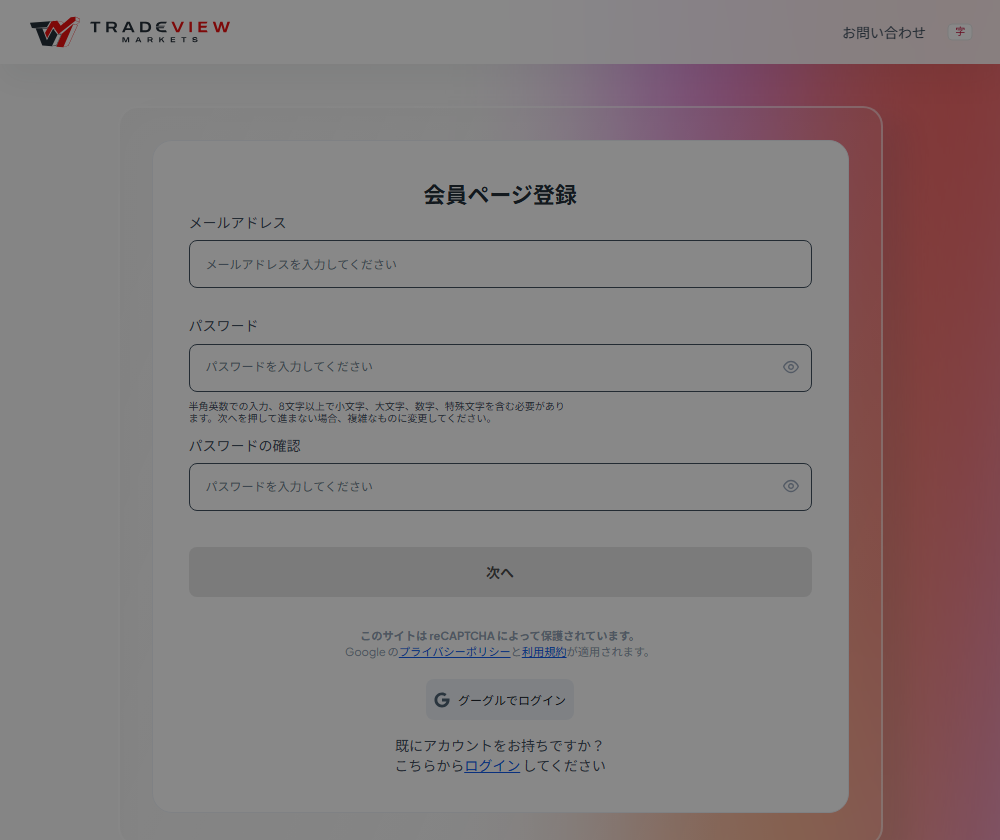
| Email address | An email you check regularly (a verification email will arrive) |
|---|---|
| Password | 8+ characters mixing upper case, lower case, numbers and symbols (a format like Esora2026!) |
| Confirm password | Type the same password again |
Click "Next", then tap the link in the verification email and log in to the member area.
Name, country of residence and entity
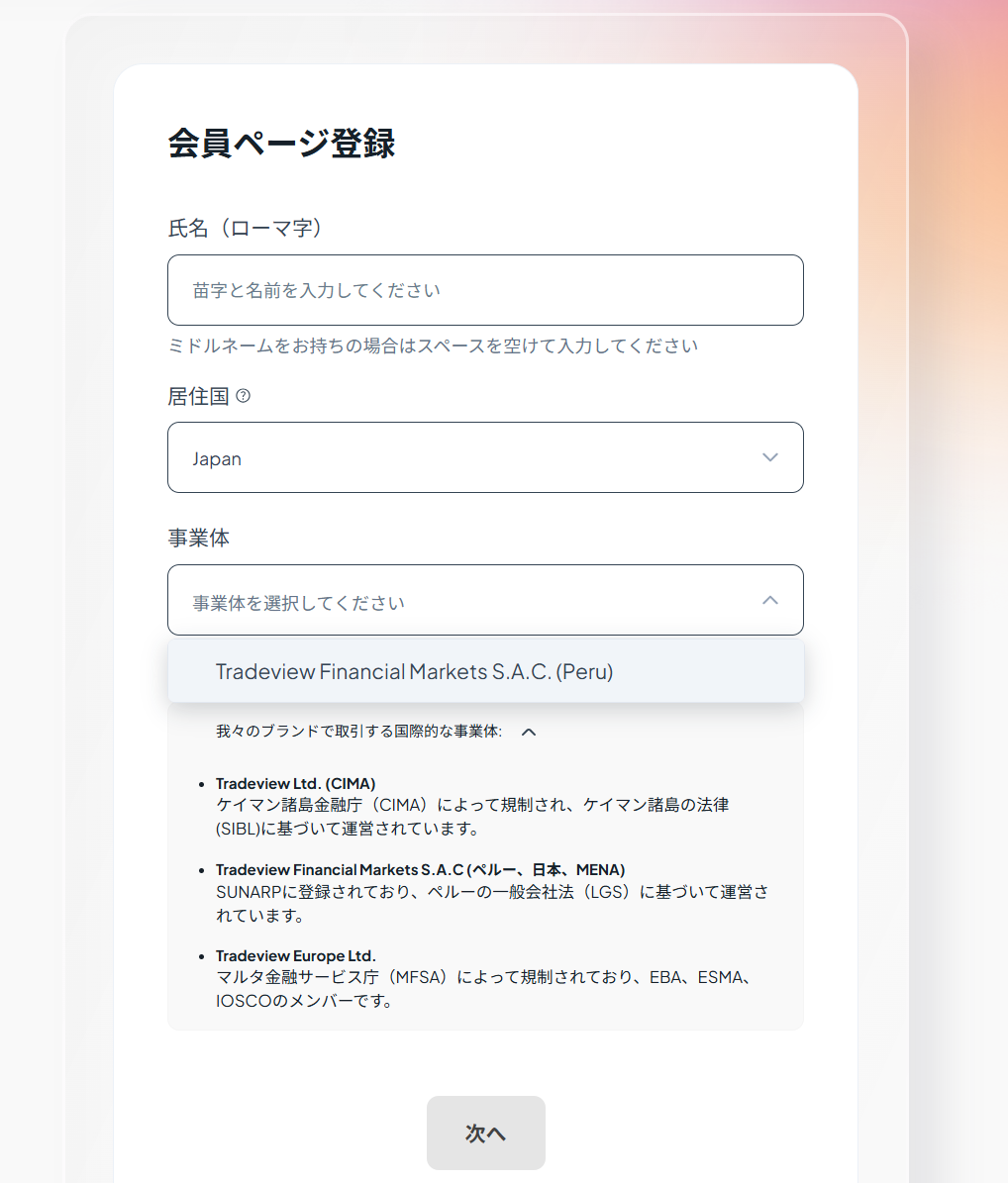
| Full name | In Latin letters, exactly as on your ID (e.g. MARIA SANTOS) |
|---|---|
| Country of residence | Your country of residence |
| Entity | Select the Tradeview entity offered for your country. Japan residents see only Tradeview Financial Markets S.A.C. (Peru); residents of other countries may see a different entity or more than one |
Tick the confirmation
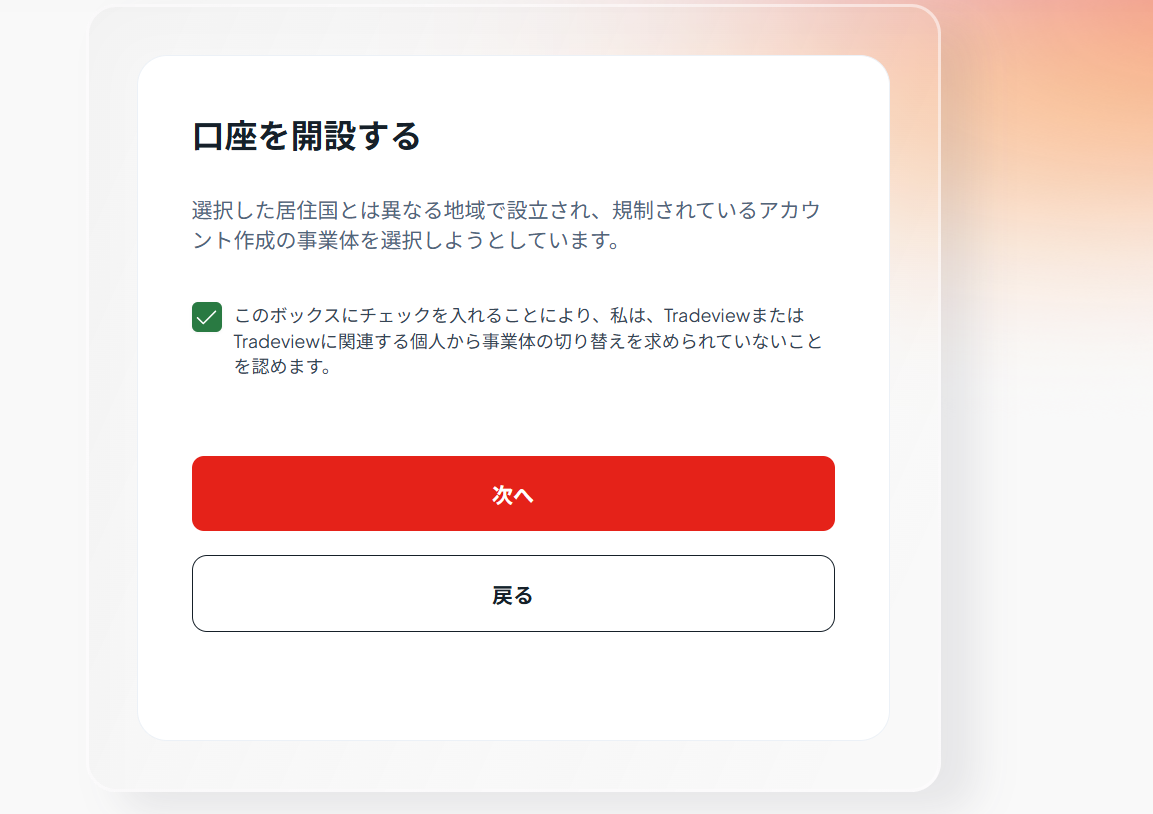
"I acknowledge that I have not been asked to switch entities" simply confirms you are opening the account of your own free will. Tick it and click "Next".
Choose the account type
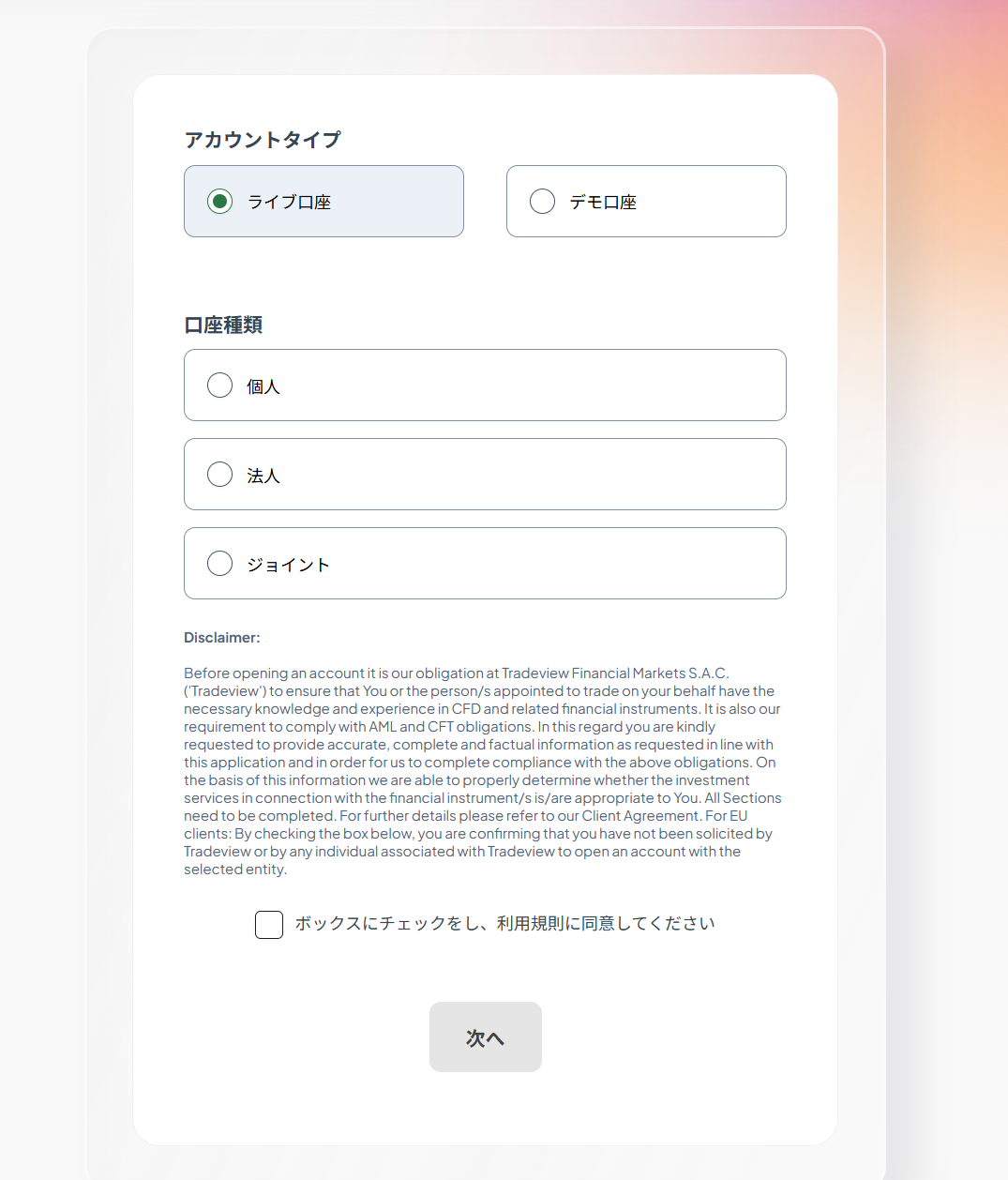
| Account type | Live account (not demo) |
|---|---|
| Account holder | Individual (companies choose "Corporate") |
| Terms of use | Read the disclaimer, tick the box and click "Next" |
Identity verification notice
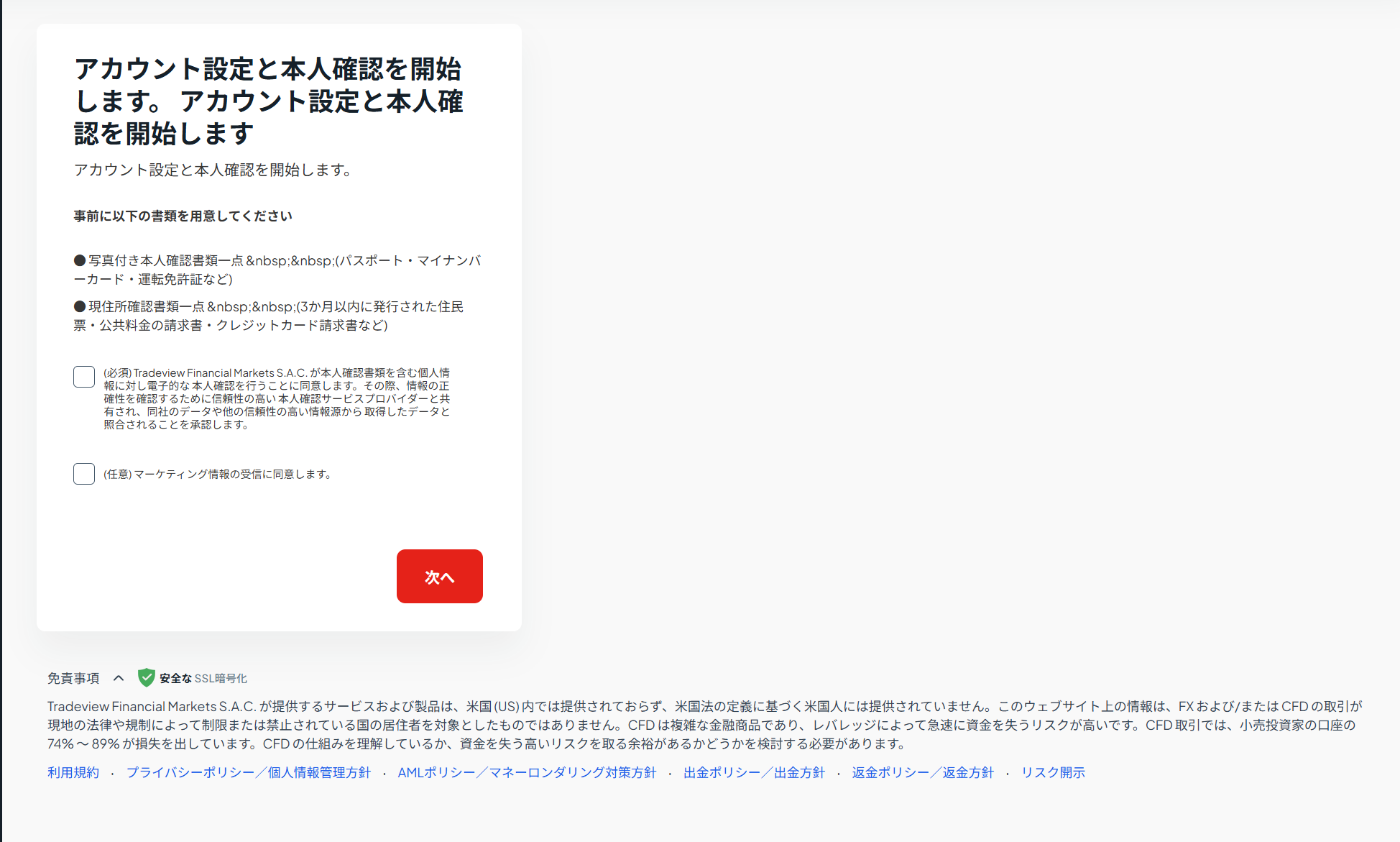
This screen lists the documents you'll need for verification later. Have them ready.
| Photo ID (1 document) | Passport / national ID card / driver's licence, etc. |
|---|---|
| Proof of address (1 document) | Issued within the last 3 months: utility bill / bank or credit-card statement / government-issued residence certificate, etc. |
| Checkboxes | (Required) consent to electronic identity verification. (Optional) marketing emails — fine to leave unticked |
Enter your personal details
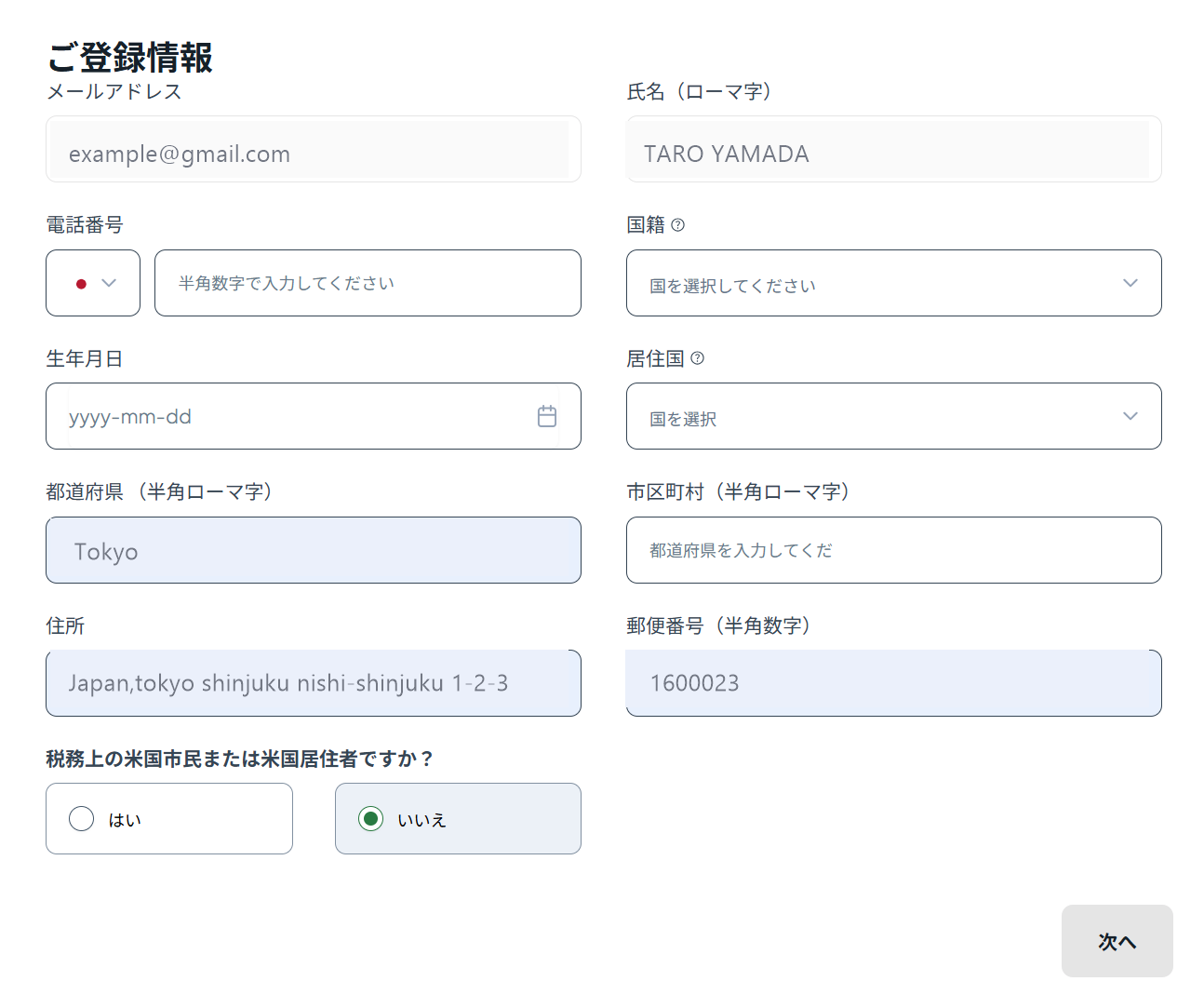
| Phone number | Pick your country code with the flag selector, then enter the number without the leading 0 (e.g. Philippines 0917 123 4567 → 9171234567) |
|---|---|
| Nationality / country of residence | As on your documents |
| Date of birth | Pick from the calendar (yyyy-mm-dd) |
| State / province | In Latin letters (e.g. Metro Manila, Selangor, Bangkok) |
| City | In Latin letters (e.g. Makati) |
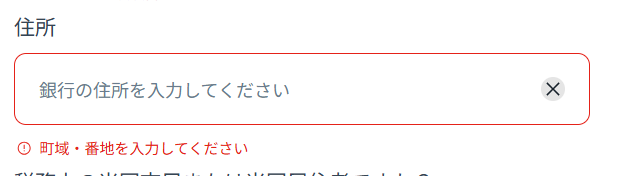
| Address | Your street address in Latin letters, matching your proof-of-address document |
| Postal code | Numbers only, no spaces or hyphens if possible |
| U.S. citizen / resident for tax purposes? | No (our service is not available to U.S. persons) |
Choose the market and account settings
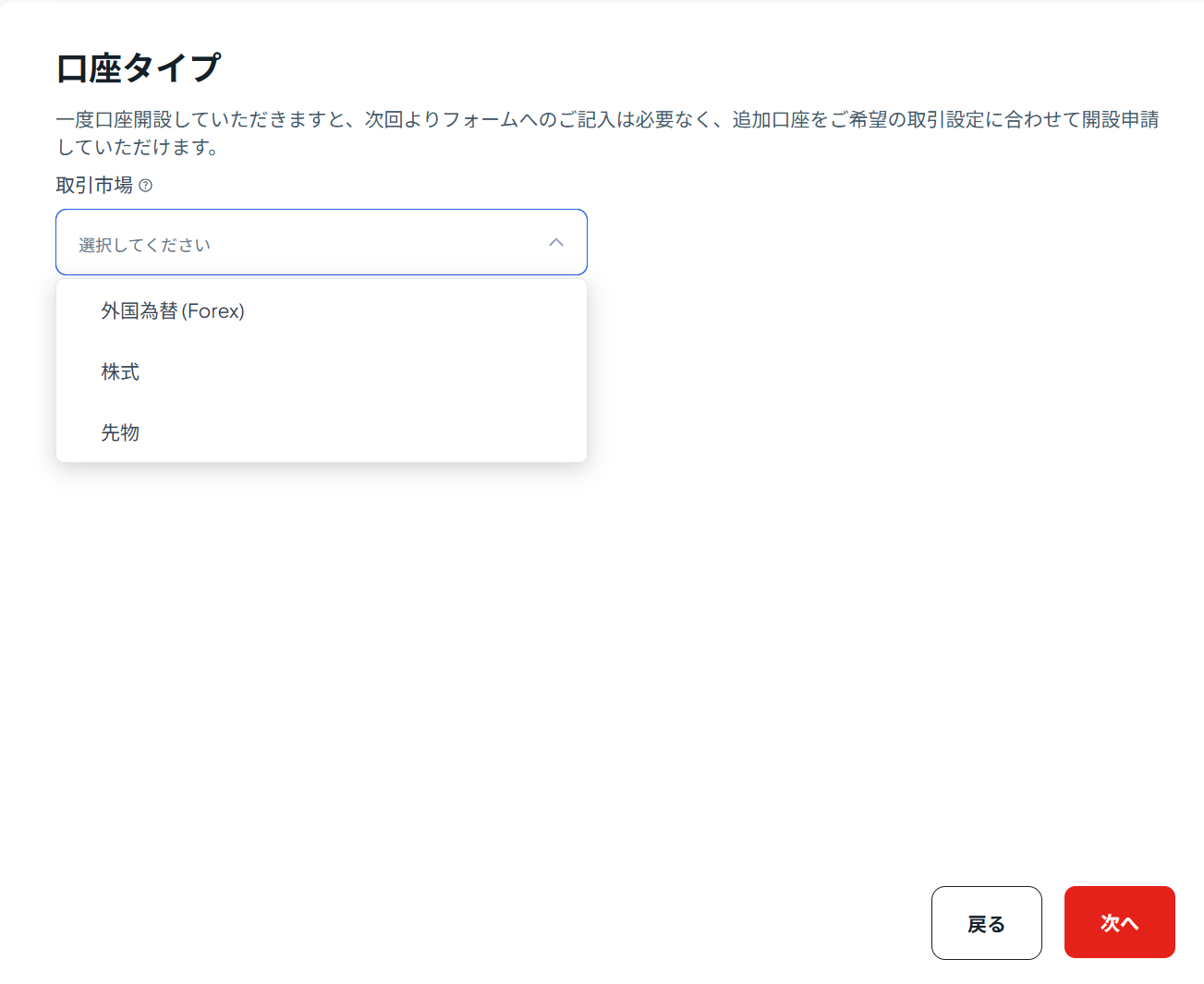
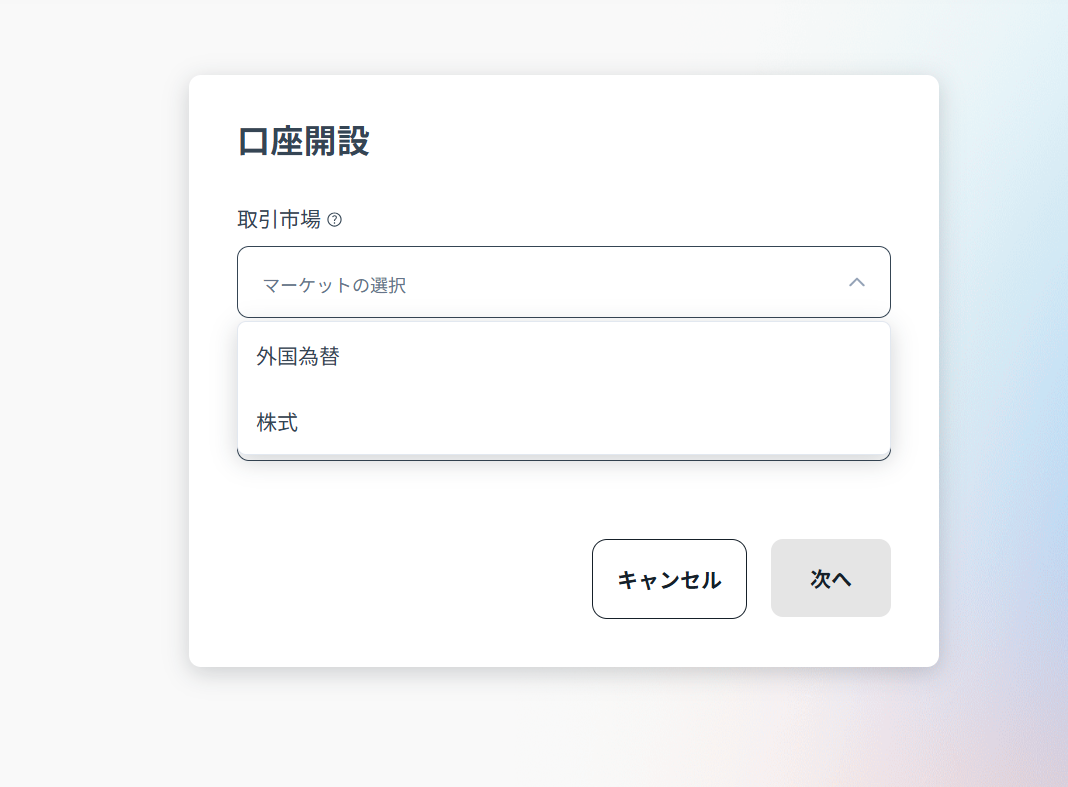
Select Foreign Exchange (Forex) as the market. On the next screen, choose exactly as in the table below (this is the most important step).
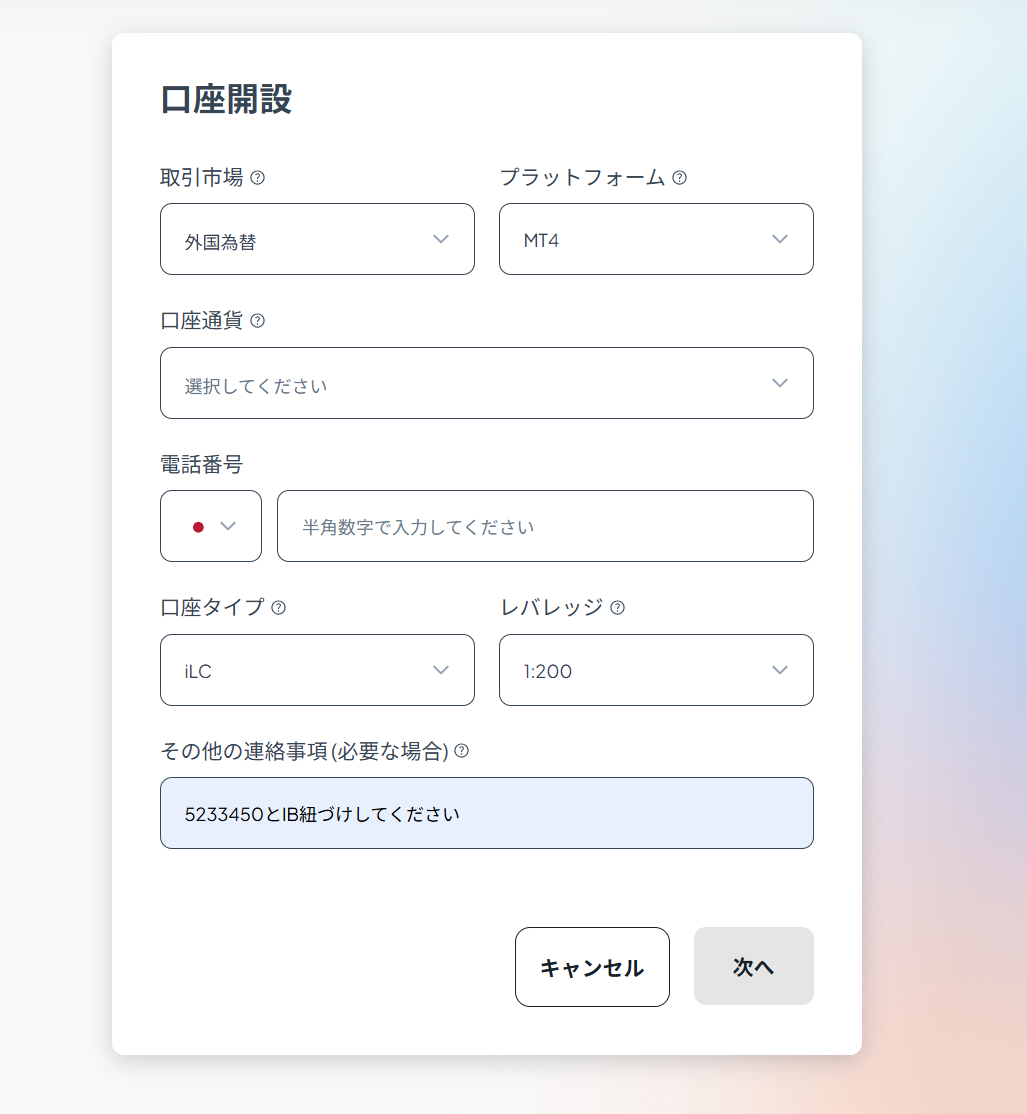
| Platform | MT4 (MetaTrader 4) — not MT5 |
|---|---|
| Account type | Innovative Liquidity Connector (ILC) |
| Leverage | If the form has a leverage field, choose 1:200. If there's no field, or the account opens at 1:100, you can change it to 1:200 in STEP 09 |
| Account currency | USD recommended |
| Additional comments | Enter "Please link to IB 5233450" (the number alone is also OK. Without it, the account can't be used with the EAs) |
Here is a real filled-in example (copy it as is).
Identity verification (the quick way is fine)
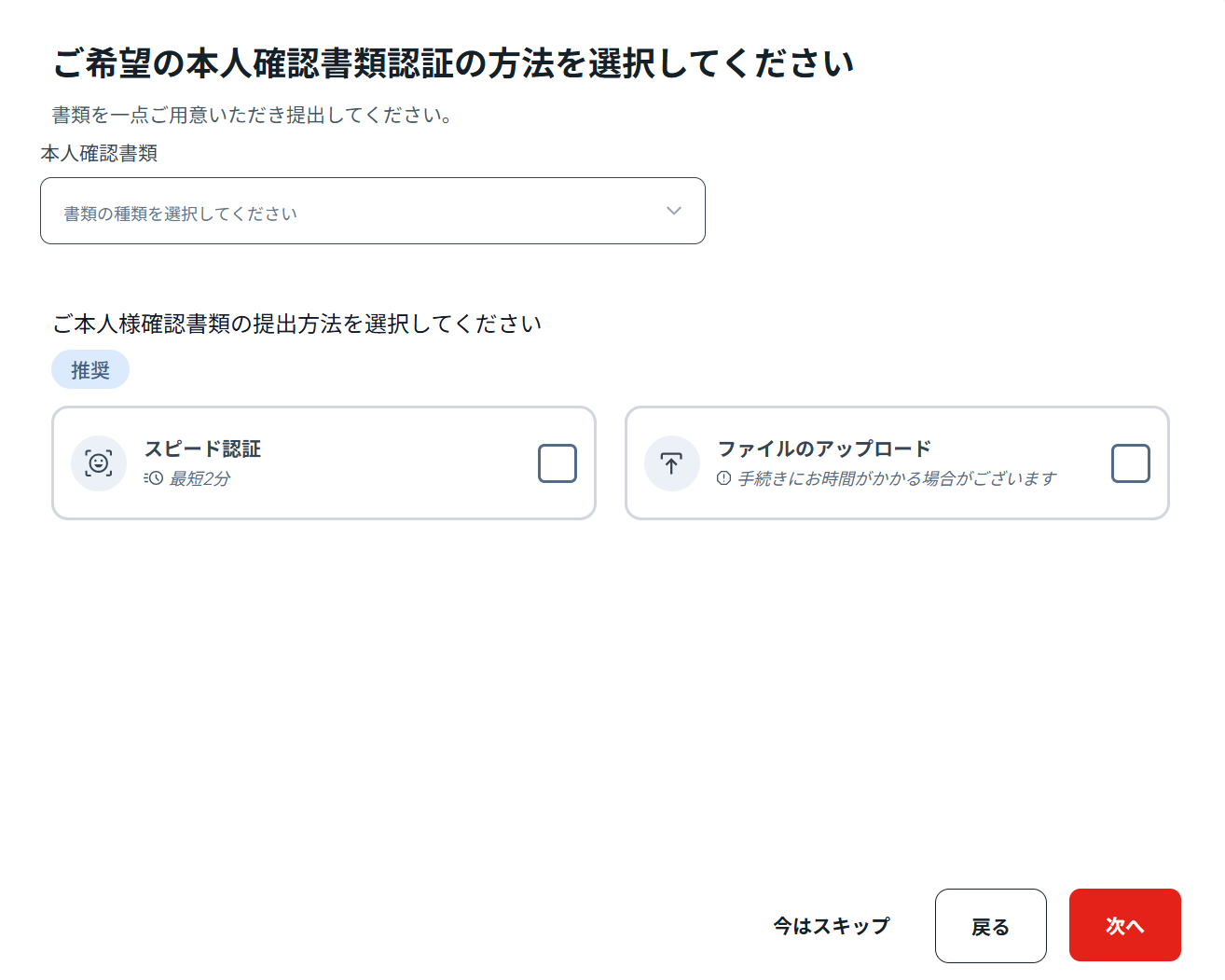
| ID document | Choose the document type from the dropdown (passport or driver's licence recommended) |
|---|---|
| Submission method | Choose quick verification (as fast as 2 minutes, recommended) to photograph your ID with your phone camera and finish immediately. If that doesn't work, "File upload" is fine too |
After submitting, you'll get an approval email in about 1–2 business days with your MT4 login details (account number, password, server name).
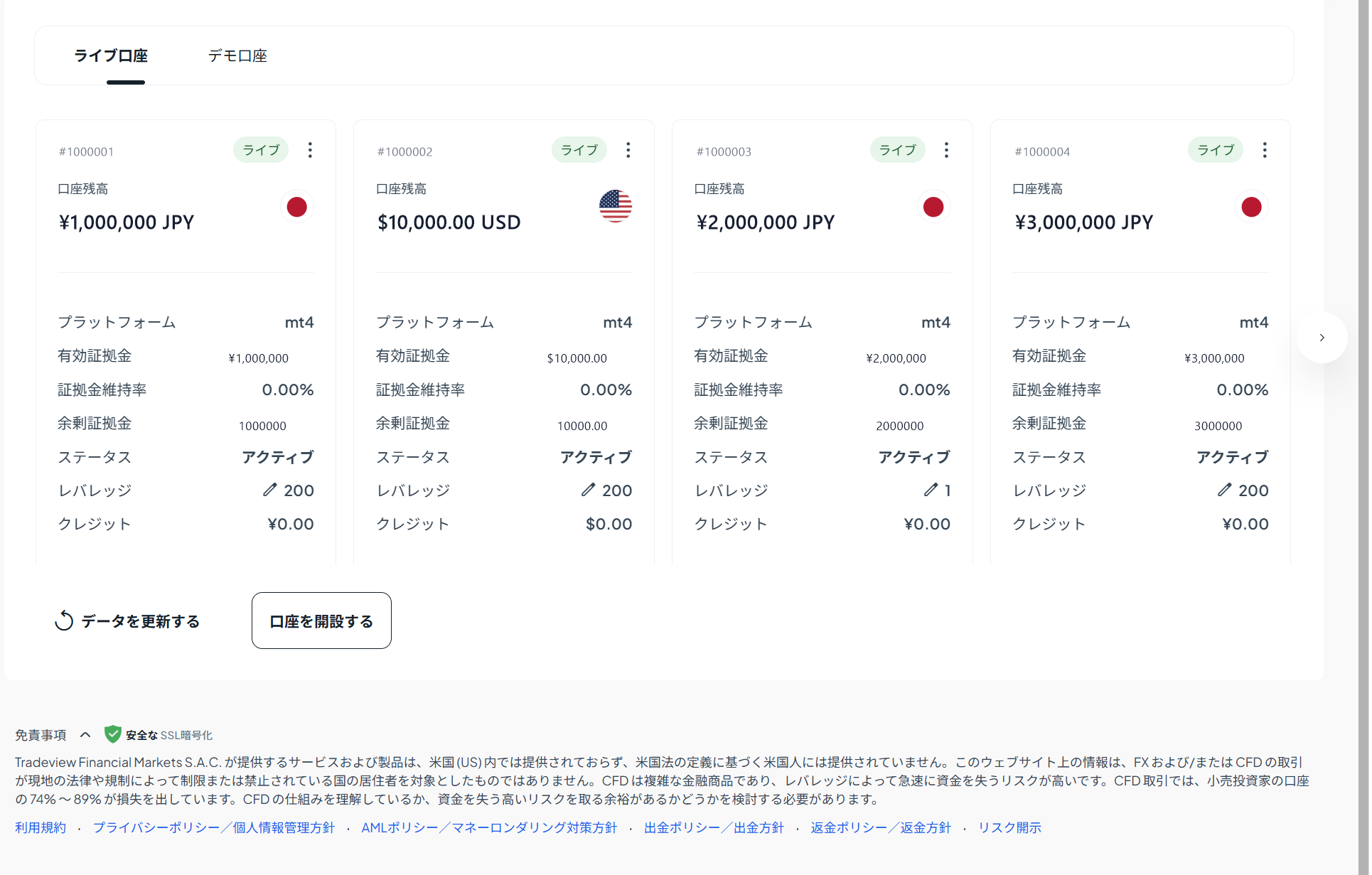
After opening: change leverage to 1:200
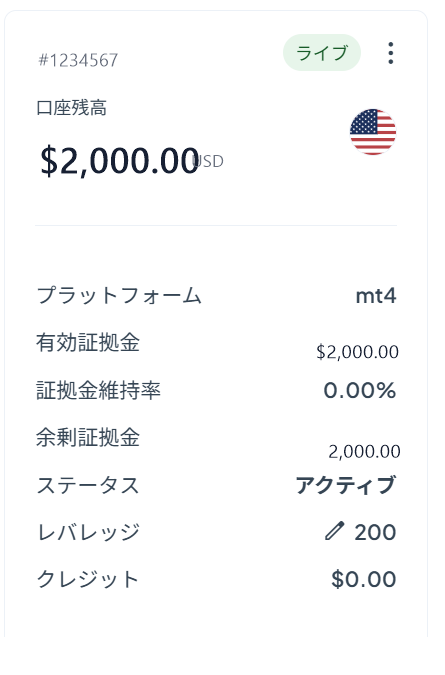
Right after opening, leverage is set to 1:100. Log in to the member area, open your account card, tap the ✏️ (pencil) next to "Leverage" → change it to "200".